

Standard violin tuning
Lowest to highest string
1G3
2D4
3A4
4E5
A4 is often used as the ensemble reference; follow the reference pitch requested by your ensemble.
A practical violin tuner guide for iPhone and iPad. Learn the reference notes, follow the tuning process and explore real Daikyouju apps.
Violin tuning calls for small and careful changes in tension. The familiar open strings are G–D–A–E, and players often begin by establishing a reliable A reference before checking the other strings.
Lowest to highest string
A4 is often used as the ensemble reference; follow the reference pitch requested by your ensemble.
Daikyouju offers a Basic violin tuner and Violin Tuner Professional. The Pro listing identifies adjustable A-reference calibration and a precise frequency display; review its current App Store listing to verify the latest features.
Practice note: Use fine tuners for small corrections when available. Make larger changes gradually to avoid unnecessary stress on the strings.
Follow these steps using the app and your instrument. They are general guidance, not a claim that every interface has identical buttons.
Confirm the requested concert pitch and your instrument’s normal open-string tuning before you begin.
Launch your violin tuner on iPhone or iPad. If prompted, allow microphone access and select the relevant available preset.
Use a steady, gentle bow stroke or carefully pluck the open string, keeping other strings quiet.
Compare the detected note with your target. Make gradual peg or machine-head adjustments; avoid overtightening and stop if resistance feels abnormal.
Use fine tuners for small corrections when available. Make larger changes gradually to avoid unnecessary stress on the strings. Play a familiar passage or chord afterward to confirm the result by ear.
Uncropped, original App Store promotional screenshots delivered from Apple's CDN. Each image opens in full size.
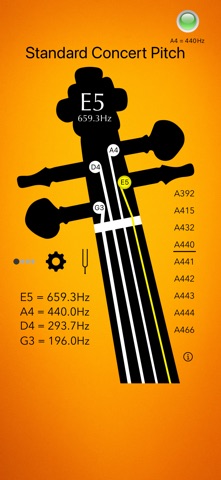 Violin Tuner BasiciPhone · View full image ↗
 Violin Tuner BasiciPhone · View full image ↗
 Violin Tuner BasiciPhone · View full image ↗
 Violin Tuner BasiciPhone · View full image ↗
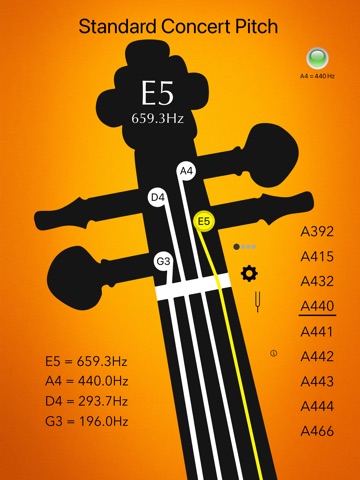 Violin Tuner BasiciPad · View full image ↗
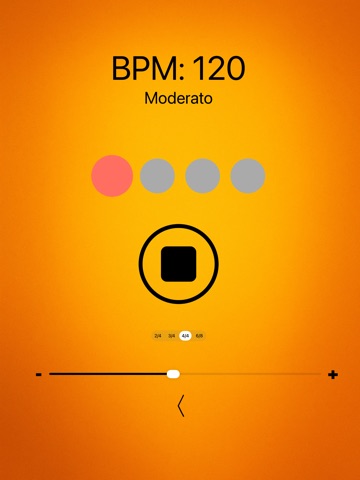 Violin Tuner BasiciPad · View full image ↗
 Violin Tuner BasiciPad · View full image ↗
 Violin Tuner BasiciPad · View full image ↗
Swipe or scroll sideways to explore
Compare the editions using features from each app's published catalog. App Store listings remain the source of truth for current pricing and compatibility.

Quick, precise tuning for violinists.


A focused violin tuner with adjustable A-reference.
A few common situations and practical ways to address them.
Use fine tuners for small changes if present. Avoid sudden peg movements.
Compare neighboring open strings by ear after the display stabilizes.
Daikyouju Labs publishes dedicated music apps for iPhone and iPad. Compatibility, supported iOS/iPadOS versions and feature availability differ by app and may change; verify your device against the live App Store listing.
Compare the actual presets and features of the versions listed below. A Pro edition may offer additional tuning options or tools, but always confirm its current App Store description and price before downloading.
Start with the note sequence required by your instrument, arrangement or teacher. Use fine tuners for small corrections when available. Make larger changes gradually to avoid unnecessary stress on the strings.
Keep learning and explore the tuners made for the music you play.
Browse all instrument guides →